
Absolute delegation, under control.
A group organised in subsidiaries, brands, regions or business units cannot certify from the centre. A REVIEWIT workspace gives an entity full autonomy over its own perimeter: its campaigns, its rules, its time, its people. The subscription sets the envelope once, and keeps the oversight. The envelope is a ceiling, never a suggestion.
Perimeter, rights and means. Not a folder of reviews.
Most tools let you tag reviews by department. A REVIEWIT workspace is a unit of authority: it receives a perimeter it cannot cross, capabilities it cannot extend, and a budget it cannot exceed. Inside those three lines, nothing goes back to the centre.
A boundary, not a filter
The boundary is a frontier of visibility. What lies outside it does not exist for the workspace. A campaign may restrict it further, never widen it: an object outside the boundary is rejected at arming with a named gap.
Capabilities one by one
Sanctuary, delegation on behalf, remediation, local mail catalogue, the assistant's mode. A capability not granted does not appear. A capability capped by the subscription is visible, locked, and names who governs it.
Decisions out of reach
No administrator, at the workspace or at the subscription, can record a review decision. Reviewers decide in the Review Manager. Administration designs, runs and proves. It never decides.
Created in nine steps, by the subscription.
The onboarding wizard sets everything the workspace will be allowed to do. Boundaries, capabilities and roles are decided here. Later edits never touch the state, the credit envelope or the roles through the same door.
Identity
Name, description, time zone copied from the subscription.
Solutions
Solutions, tenants and workloads the workspace may see.
Policies
The certification policies the workspace may run.
Boundary
Users, sites, groups: the object types in scope.
Filters
Up to three attribute conditions per solution and target.
Capabilities
Sanctuary, on behalf, remediation, local catalogue, RITA mode.
Roles
Managers, readers, reporting readers, auditors. Twelve months at most.
Credits
An allocation from the subscription's envelope, in OneShot.
Review
Recap, activate on creation or keep suspended.
Three layers, enforced where it matters: at arming.
Solutions and tenants first, then workloads, then attribute conditions with the same six operators as a campaign. The boundary is read again every time a campaign is armed. Anything outside it becomes an out-of-boundary gap, written once as a finding.
- Solutions and tenants. Which connected systems the workspace can see at all.
- Workloads. Which services inside them: sites, groups, drives, repositories.
- Conditions. Up to three chained attribute conditions per solution and object type: country equals FR, department starts with Finance.
- A ceiling for campaigns. A campaign restricts within the boundary. It cannot add a condition that widens it.
- Incomplete is visible. A workspace whose boundary is not fully set is flagged in the subscription's list.
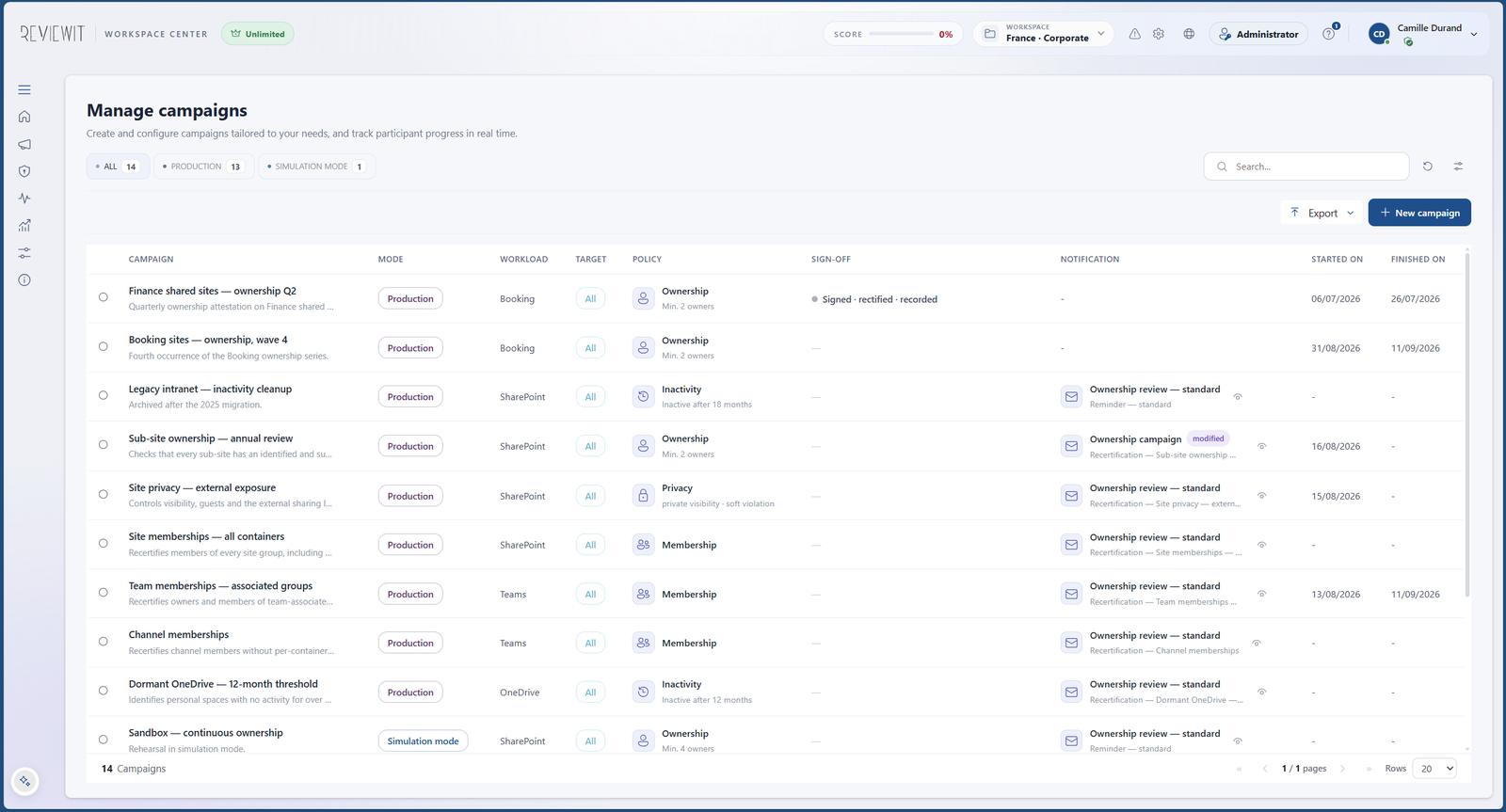
Inside the envelope, nothing goes back to the centre.
The workspace manager runs the entity's certification programme with the full engine, on the entity's own clock, with the entity's own people.
- Campaigns. The whole campaign engine: wizard, policies, cadences, arming, closure, sealed evidence.
- Rules. The fourteen certification rules can be overridden for the workspace, and again per campaign, with provenance badges.
- Its own time. Time zone, working days, working hours and public holidays of the entity. Deadlines are computed on its calendar, not the group's.
- Its own people. Managers, readers, reporting readers and auditors, assigned as users or groups, each with an expiry.
- Its own exceptions. Sanctuary in traced cycles, delegation on behalf, local mail templates. Each one only if the capability was granted.
- Its own analysis. Reports, alert centre, audit trail by scope, INSIGHTS. Read by the workspace, for the workspace.
Delegate everything. See everything.
The subscription administrator never runs a campaign, but sees every workspace's state, boundary, credits and live campaigns in one list, and reads the audit trail, the alerts and the role assignments across the estate with a workspace filter.
- One list. State, last change, boundary with an incomplete warning, workloads, policies, allocated credits, live campaigns, capability segments.
- Credits. Per-workspace allocation in OneShot; consumption read from the ledger in Unlimited.
- Suspend, with care. Suspending a workspace can freeze its live campaigns; their calendar shifts by the pause duration when it resumes.
- Delete, with blockers. Deletion needs the workspace name typed, and is refused while sign-off lots, closures, review items or challenges still hold evidence. "Suspend instead" is always offered.
- The assistant, governed. A default mode for new workspaces, a ceiling nobody can exceed, a forced mode per workspace when the centre must, every change audited.
Four roles, an expiry, and one declared authority at a time.
Roles are held by people or groups, for twelve months at most, and only an active, unexpired assignment confers access, evaluated as a civil date in the workspace's own zone. Someone who holds several roles acts under one declared role, never under the union.
Manager
Designs and runs campaigns, sets rules, manages sanctuary and delegations, closes occurrences. Never records a review decision.
Reader
Reads the workspace's campaigns and their state. No action.
Reporting reader
Reads reports and restitution surfaces. No action.
Auditor
Read-only, with a permanent banner and an expiry. Audit posture, audit trail, audit dossier, evidence verification. The auditor surface →
Managers switch, they do not merge
A person managing several workspaces switches between them. Each workspace keeps its own roles, its own time and its own evidence. The selector shows the roles held in each, and the access predicate resolves "today" in each workspace's zone.
Reviewers are never partitioned
A reviewer is a person, not a seat in a workspace. The work queue in the Review Manager spans every workspace that assigned them something, because the workspace is a unit of administration, not a dimension of the reviewer's identity.
Bring your organisation chart.
We will cut it into workspaces live: boundaries, capabilities, credits and roles. You will see what each entity can do, and what the centre still sees.